
Introduction
As we move through 2026, our smartphones are continuously advancing. Hardware is growing at a rapid pace with a 2nm process like the upcoming A20 chip and powerful AI-driven features in devices like the Google Pixel 11 Pro Fold. However, battery technology is often struggling to keep up with this performance. Even though the manufacturers promise a full day battery backup, many users still find their smartphones running out of power by the evening.
In my 21 years of experience in the tech industry, I’ve seen that while smartphone battery capacity has gradually increased, hardware advancements have been even faster. Despite these improvements, it’s becoming increasingly difficult for modern phones to last a full day on a single charge due to power-hungry displays and background AI processing. In this article, I will share 7 expert tips that will help you keep your smartphone running all day long.
1. Leverage LTPO Display Technology
Modern flagships use LTPO (Low-Temperature Polycrystalline Oxide) displays. These screens can drop from 120Hz to 1Hz to save power. This technology is a core part of the high-end workstation setups I discussed in my [Ultimate Technical Home Office Guide].
- The Tip: Ensure “Auto-Refresh Rate” or “Adaptive Display” is enabled. Static content (like reading this blog) shouldn’t be draining your battery at 120Hz.
2. Manage Background AI Processing
In 2026, AI is the biggest battery killer. On-device AI models (like Gemini Nano 2 or Apple Intelligence) are constantly processing data in the background.
- The Tip: Go to your AI settings and restrict “Background Processing” for non-essential apps. Let your phone focus its power on the tasks you are actually doing.
3. The 20-80% Charging Rule
Lithium-ion batteries are under the most stress when they are completely full (100%) or completely empty (0%).
- The Tip: For long-term health, try to keep your battery between 20% and 80%. Most modern Android and iOS devices now have a ‘Limit to 80%’ charging toggle—I highly recommend enabling it.
4. Audit 5G and 6G Connectivity
Searching for a signal is a massive power drain. If you are in an area with a weak 5G/6G signal, your modem works overtime to maintain a connection.
- The Tip: When in a weak signal area, manually switch to 4G/LTE. You will lose a little speed but gain hours of battery life.
5. Dark Mode: It’s Not Just for Aesthetics
On OLED and AMOLED screens, black pixels are actually “off.” They consume zero power.
- The Tip: Use “System-wide Dark Mode.” Based on technical testing, this can save up to 15-20% battery life compared to Light Mode on high-brightness displays.
“Expert Insight: The Thermal Trap”
In my two decades of experience solving technical problems, I’ve found that heat is a silent killer of battery performance. High temperatures increase internal resistance, causing the battery to discharge faster.
6. Optimize Precise Location Services
Many apps request “Precise Location” when “Approximate Location” would work just fine. Using the GPS chip constantly is an unnecessary drain.
- The Tip: Review your App Permissions. If a weather app or a food delivery app doesn’t need your exact room location, switch it to “Approximate.”
7. Identify “Vampire” Apps
Some apps are poorly optimized and consume power excessively even when they are not in active use.
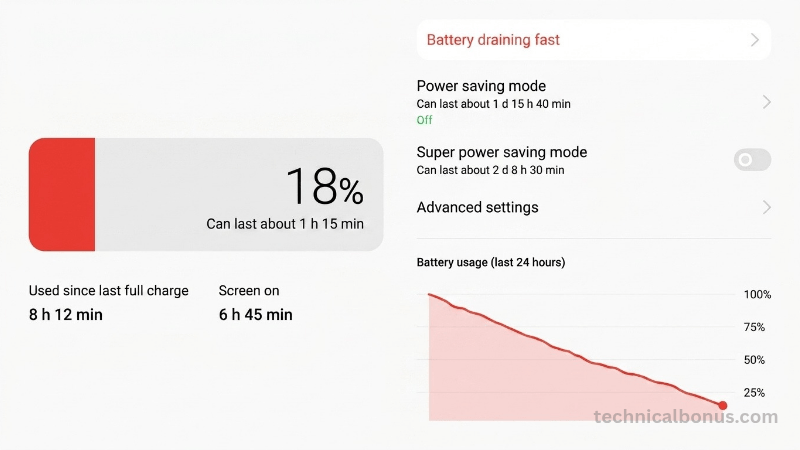
- The Tip: Check your Battery Usage settings once a week. If an app you haven’t opened in three days is responsible for 5% of your drain, it’s time to uninstall it or restrict its background activity.
Conclusion
Many users believe that battery life depends solely on mAh capacity; however, true longevity comes from how efficiently you manage the hardware and applications. By combining the efficiency of new 2nm processor technology with these professional habits, you can significantly extend the lifespan of your device. To see how battery tech fits into the bigger picture, check out my [2026 Technical Roadmap].
Final Verdict: Technology will always advance, but the fundamentals of power management will remain the same. Therefore, control your mobile settings today and use the battery capacity throughout the day.
Disclaimer: The tips and tricks shared in this article are based on my 21 years of experience in the tech industry and are intended for informational purposes only. While these methods are generally safe, battery performance can vary significantly depending on your specific device model, software version, and battery health. Technical Bonus is not responsible for any changes in device behavior or data usage resulting from following these tips. Always ensure your important data is backed up before making significant changes to your system settings.
