Introduction
In my 21 years of experience in tech troubleshooting, I’ve seen the ‘scam’ industry evolve from simple pop-up ads to frighteningly realistic AI hoaxes of 2027. I remember when viruses just slowed down your PC; today, an AI scam can steal your entire digital identity in a matter of seconds.
As we discussed in the [2026 Technology Roadmap], AI is a tool for good, but it is also being misused as a weapon. Whether you’re using [advanced AI productivity tools] or just browsing the web, you need to know about Raksha’s ‘Technical Bonus.’ In this guide, I’ll share 5 technical signs to help you identify an AI-powered scam.
1. Unnatural “Cadence” in Voice Calls
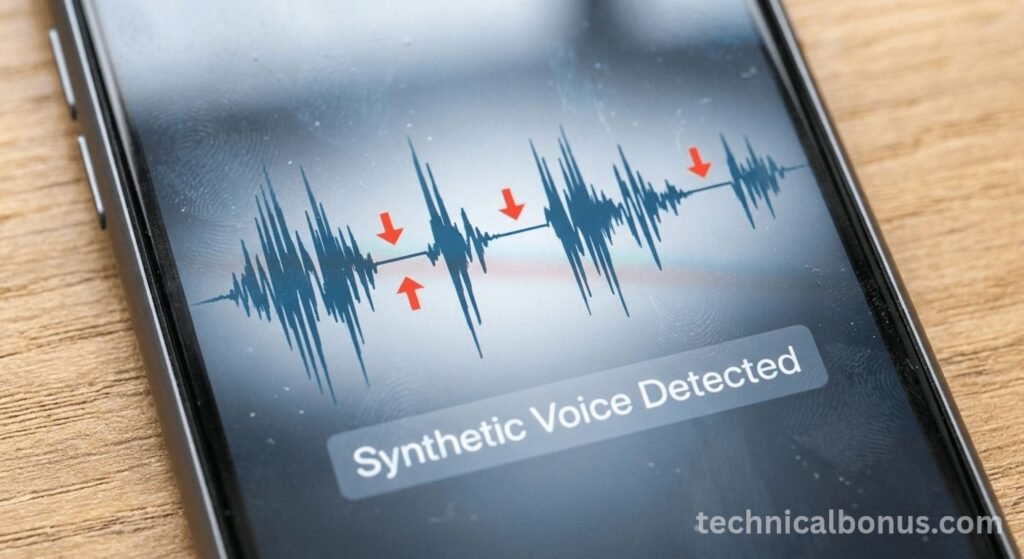
In particular, artificial intelligence (AI) voice imitation (vishing) has become a major threat. Fraudsters use a 5-second clip of a loved one’s voice to create an exact imitation.
- The Sign: Pay attention to breath intervals. AI models often lack natural pauses and varied breathing patterns like humans. Also, if the person refuses to answer a personal question that only they know the answer to, hang up immediately.
2. Micro-Artifacts in Video (Deepfakes)
In addition to voice, video scams are also on the rise. Scammers use deepfakes to impersonate CEOs or bank executives.
- The Sign: Look at the edges of the face and the inside of the mouth. Even in 2027, AI is having trouble understanding things like “micro-blinking” and the way teeth appear when speaking. As a result, these visual artifacts are clear evidence of artificial video.
3. Perfect Grammar in Phishing Emails
Following our [Claude vs. GPT comparison], we know that AI can write perfectly.
- The Sign: Previously, fraudulent documents contained spelling mistakes. In 2027, fraudulent documents contain perfectly correct grammatical errors. However, the technical pointer here is “contextual urgency.” If an email written by AI demands immediate action regarding your [cybersecurity protocols], it is likely a trap.
4. Malicious AI Browser Extensions
Moreover, as we mentioned in [Top AI Chrome Extensions Guide], not all software is secure.
- The Sign: If an extension asks for “read/write” permissions for your entire drive, rather than just the browser, that’s a huge red flag. Always verify developers in the official [Chrome Web Store].
5. Unrealistic “NPU-Only” Investment Scams
Finally, be wary of platforms that claim to offer high returns by “renting” your device’s NPU power.
- Expert Insight: I’ve seen many ‘hardware-sharing’ scams over two decades. Although [the upcoming A20 chip] is powerful, no legitimate company will pay you thousands of dollars to use your phone’s processor in the background.
Technical Comparison: Real vs. AI Interaction
| Feature | Human Interaction | AI Synthetic Interaction |
| Response Latency | Variable / Natural | Fixed / “Too Fast” |
| Visual Details | Imperfect / Natural Blinking | Too Smooth / Blurred Edges |
| Voice Tone | Emotional / Breath Gaps | Generic / Scripted Logic |
| Information | Shared Personal Context | Generic / Scripted Logic |
Conclusion: Staying Digitally Aware
Ultimately, technology advances rapidly, but the fundamentals of human intuition remain your best defense. By combining these technical signals with the security habits developed on Technical Bonuses, you can stay one step ahead of scammers.
Disclaimer
The technical signals shared in this article are based on the current AI threat assessment for 2026-2027 and 21 years of technical experience. Scammers constantly update their methods; therefore, no guide can provide 100% protection. Technical Bonus always exercises caution when sharing data or money online. Technical Bonus is not responsible for losses resulting from cybercrime.
